Showing posts with label photoshop. Show all posts

Sunday, August 24, 2014

Focal Stacking

I'm surprised at how easy it is to combine multiple macro photos with different focal lengths in CS6:

Select the layers then
Edit->Auto Align Layers
Edit->Auto Blend Layers

Pretty quick, even with D800 images.


Here's the results


From these inputs


Friday, June 21, 2013

Sheer Fabric, Tiffen Filters

I've been doing a lot with fabric and LEDs lately (since LEDs don't run hot (temperature) you can put them right next to fragile fabric without worry).

These shots from last year's Governor's island show were the start of this


Thursday, May 9, 2013

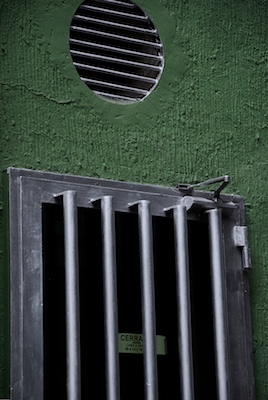
Filtered Istanbul Greenhouse

I keep returning to these shots, partly because finding this place was so unexpected.

Original


Various filters


Orginal


Filtered


Monday, January 28, 2013

Sequins + Filters

These are some shots from a show of deaccessioned couture dresses on Governor's island summer 2012.

Note: My ability to get shots like this had a lot to do with my camera being able to be pushed to an ISO of 25K.

Original:


Filtered versions:


Monday, December 3, 2012

Photoshop Blend Modes

I just started The Hidden Power of Blend Modes in Adobe Photoshop by Scott Valentine.

One of his first suggestions was to just duplicate your base layer and try different blend modes to see the results.

I found the results fascinating and thought I'd share.

Original


Color Dodge


Exclusion


Original


Soft Light


Linear Burn


Full Size Original


Cropped Original


Exclusion


Hard Light


Monday, April 16, 2012

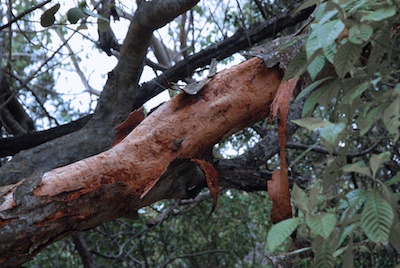
Belmont, Ma Habitat

A few shots from the weekend -- I'm back in a "Tiffen Filter" mood.

A tree "stump"


mass_habitat_078_stump, © stonebits


The outside of the greenhouse


mass_habitat_099, © stonebits


A shot of the inside of the greenhouse (from the outside)


mass_habitat_092_greenhouse_under_glass, © stonebits


Tuesday, November 9, 2010

Monday, September 13, 2010

Photoshop CS5 Content Aware Fill

Just a quick note on how amazing this is. The quick selection tool followed by a content aware fill is enough to remove the vacuum in less than two minutes total!

photo_before.jpg


photo_after.jpg


Admittedly the result isn't perfect, but a clean up of the edges would only take another minute or so.

Monday, October 19, 2009

Construction Equipment in Delhi

From my Jan trip, suitably enhanced

delhi_gear_5_halo.jpg


delhi_gear_3_diffusion.jpg

Monday, July 13, 2009

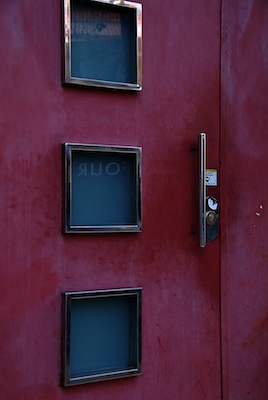
Spain Doors

A couple doors I liked

blog__madrid_door.jpg


blog__barcelona_pink_door.jpg


Monday, June 29, 2009

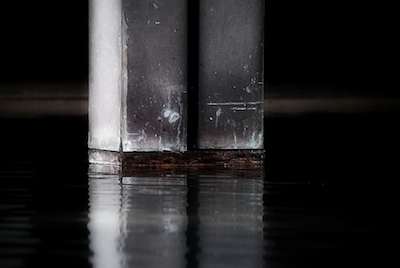
Barcelona 'Water Columns'

Here's some (processed) photos taken last year in Barcelona.

These are all from the same building which has a section supported by columns resting on concrete pads in a pool of water (with the attendant corrosion and decay)

blog__barcelona_water_columns_2_3.jpg


blog__barcelona_water_columns_8_greener.jpg


blog__barcelona_water_columns_7_b.jpg


Monday, May 4, 2009

No detailed masking

Here's something that I wouldn't have thought possible without detailed masking around the "sharpened supports"

Before
barcelona_  057.jpg

After
barcelona_supports_dark.jpg

It was just a Tiffen Filter combo of (from bottom to top)


  • Bleach Bypass 5

  • Depth of Field: Highlight Blur (with an increased range parameter)

  • Color looks: Sunset


PS: Yes, I also think its cool

Monday, March 2, 2009

Farthest Allston

Sometimes my travels take me into other sections of Allston, even venturing beyond the Mass Pike!

In one of my walks a few months ago I found this amazing vent that appeared to have fallen off of a building.

It served as a good basis for some Photoshop work.

allston_vent_1.jpg


allston_vent_4.jpg


This final image is as is -- no Photoshop.

DSC_0283.jpg